

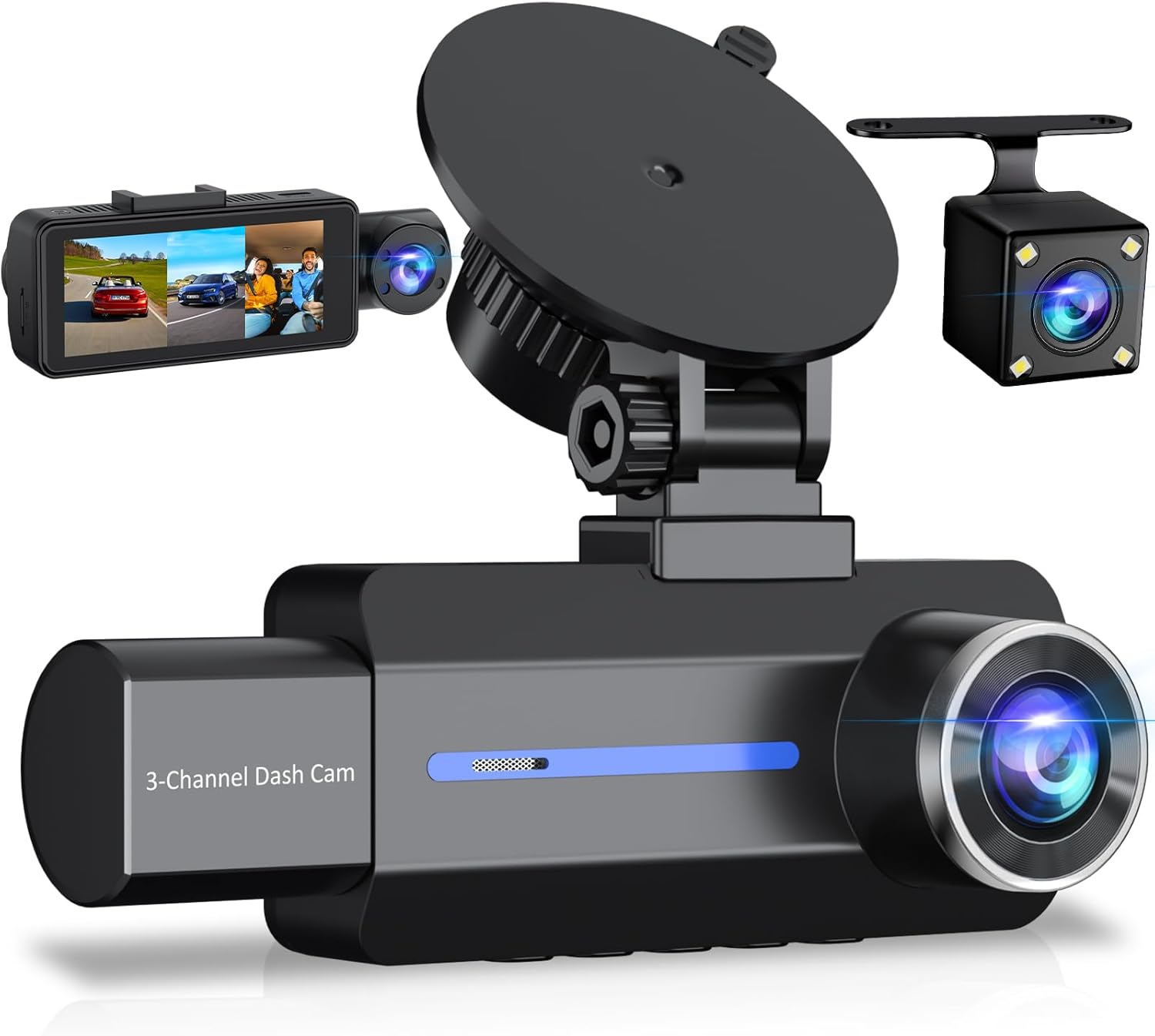
Are you trying to decide if the Dash Cam Front and Rear, 2.5K+1440P Triple Car Camera with 32GB Card, 3 Channel Dash Camera for Cars, G-Sensor, 3.16” IPS Screen, 24Hr Parking, 170°Wide Angle, Loop Recording, IR Night Vision, Blue is the right dash cam setup for your vehicle?

Product overview
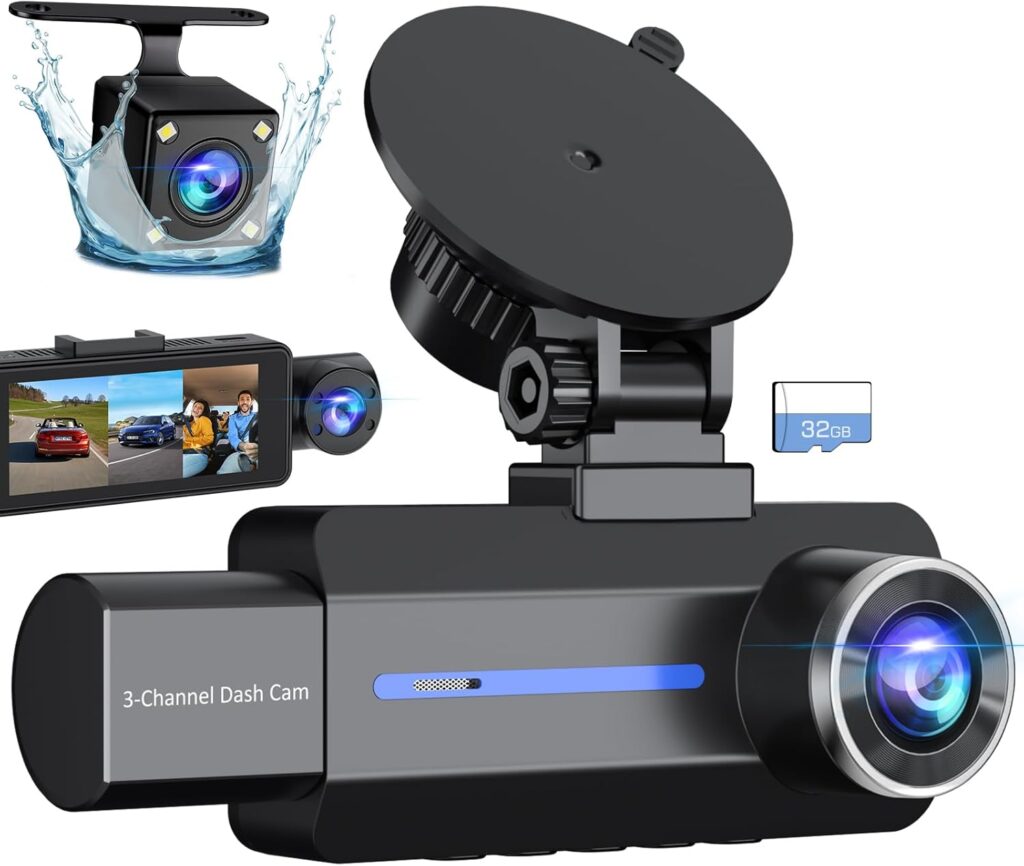
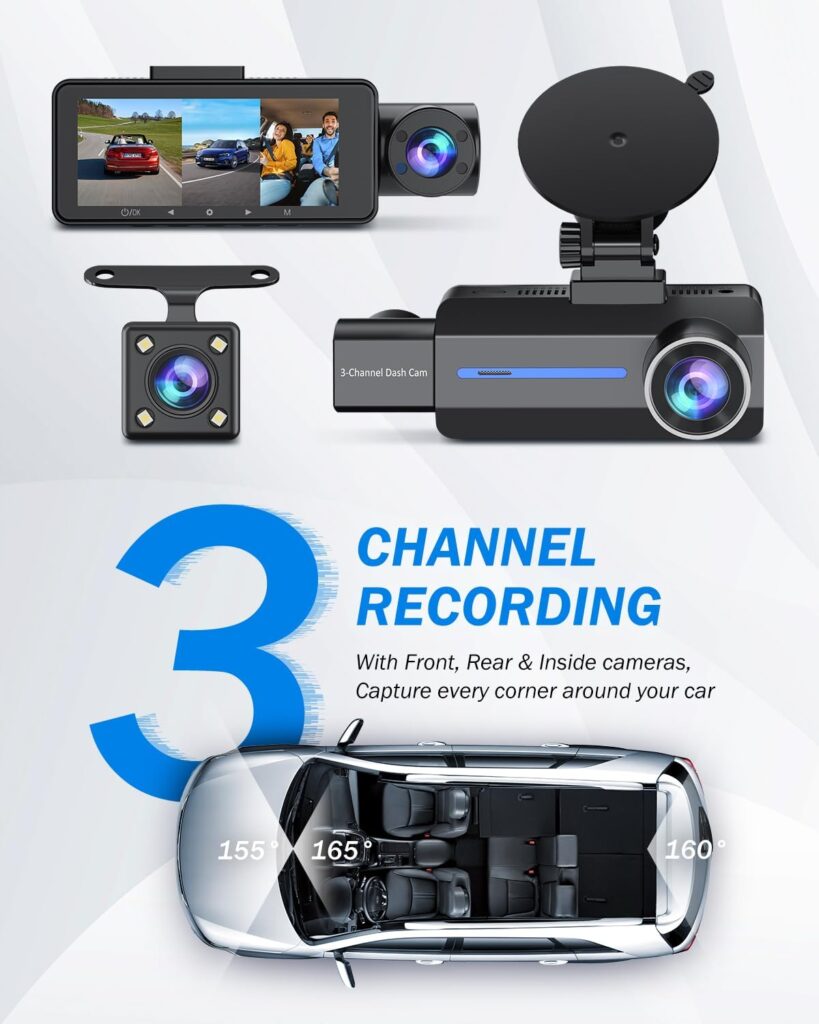
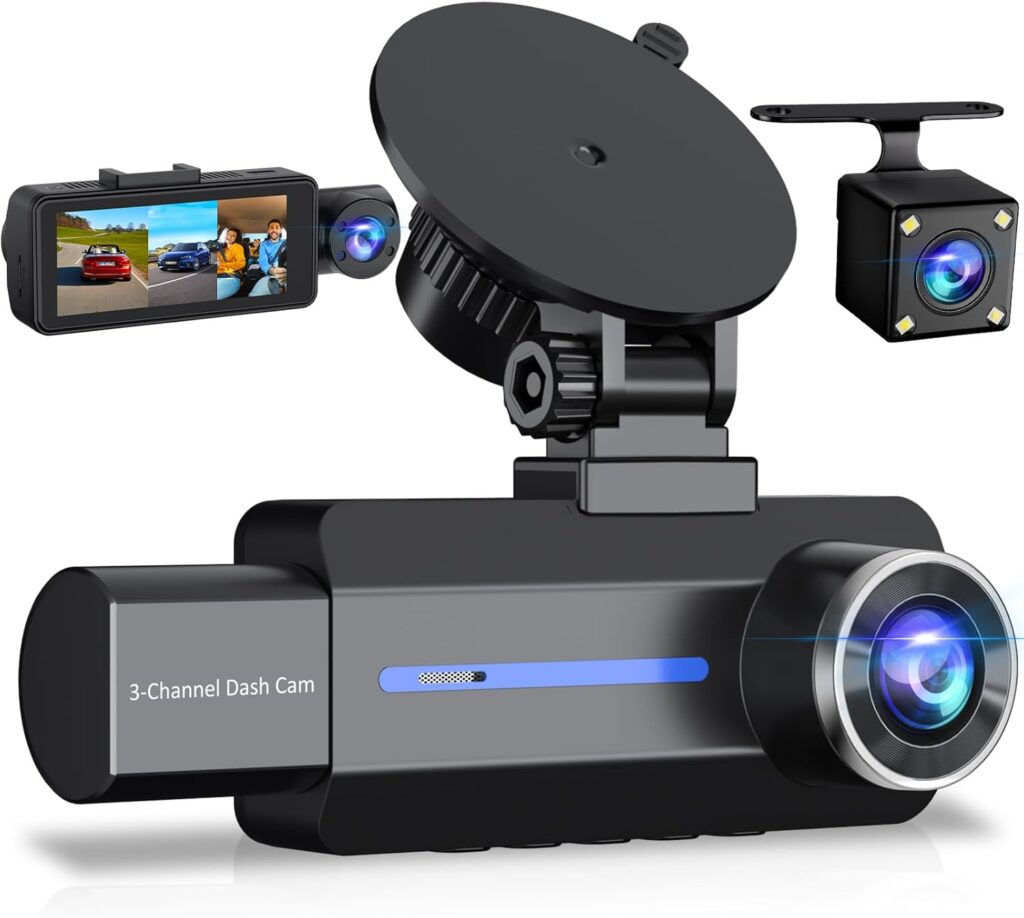
You’ll find this BAEASU-branded unit is a true three-channel dash cam system that records the front, the cabin, and the rear simultaneously. It promises 2.5K front resolution, IR-equipped interior recording, a waterproof rear camera, and basic accessories (including a 32GB microSD card) to get you running quickly.
What the package includes
You should expect the primary front dash camera with a built-in 3.16” IPS screen, a separate inside/cabin camera, and a waterproof rear camera with an approximately 20 ft extension cable. The package typically contains power and installation accessories, a 32GB microSD card preinstalled, adhesive or suction mounts, and a user manual; an ACC hardwire kit for true 24-hour parking recording is not included and must be purchased separately.
Key specifications
These are the headline specs you’ll want to keep in mind when comparing features and value.
| Feature | Specification |
|---|---|
| Front Camera Resolution | 2560 × 1440 (2.5K QHD) |
| Inside Camera | 150° angle, IR illumination (4 IR lights) |
| Rear Camera | 150° angle, waterproof, ~20 ft extension cable |
| Lens Elements | 6-glass lens for improved clarity |
| Screen | 3.16” IPS |
| Field of View | Front: 170°; Inside & Rear: 150° |
| Recording Modes | Normal loop recording, Time-lapse parking mode |
| G-sensor | Built-in (automatic incident lock) |
| Parking Monitor | 24-hour parking guard (requires hardwire kit) |
| Storage | Includes 32GB card, supports up to 128GB |
| Battery | Built-in 230 mAh backup battery (15–20 min) |
| Night Vision | IR lights for cabin + low-light optimization for front |
| Color | Blue (housing color) |

Dash Cam Front and Rear, 2.5K+1440P Triple Car Camera with 32GB Card, 3 Channel Dash Camera for Cars, G-Sensor, 3.16” IPS Screen, 24Hr Parking, 170°Wide Angle, Loop Recording, IR Night Vision, Blue
Image and video quality
You’ll notice the front camera’s 2.5K resolution gives a clearer picture than typical 1080p dash cams, and that clarity helps when you need to read license plates or road signs. The 6-glass lens and large aperture help with sharpness and reduce aberrations, while the IPS screen gives you a true-color preview when you review footage on the device.
Front camera performance
In daylight the 2560×1440 front feed delivers crisp footage with good detail around the center of the frame; this is where license plates and street signs are most legible. However, because the front field of view is 170°, you’ll get wide coverage; detail at extreme edges will be less sharp due to the wide-angle perspective, which is normal.
Rear camera performance
You’ll like that the rear camera is waterproof and includes a long extension cable to fit sedans, SUVs, vans, and some trucks. The rear’s 150° field of view gives broad coverage behind the vehicle, and you’ll usually find it adequate for recording incidents, reversing, and capturing tailgating behavior.
Interior camera and IR night vision
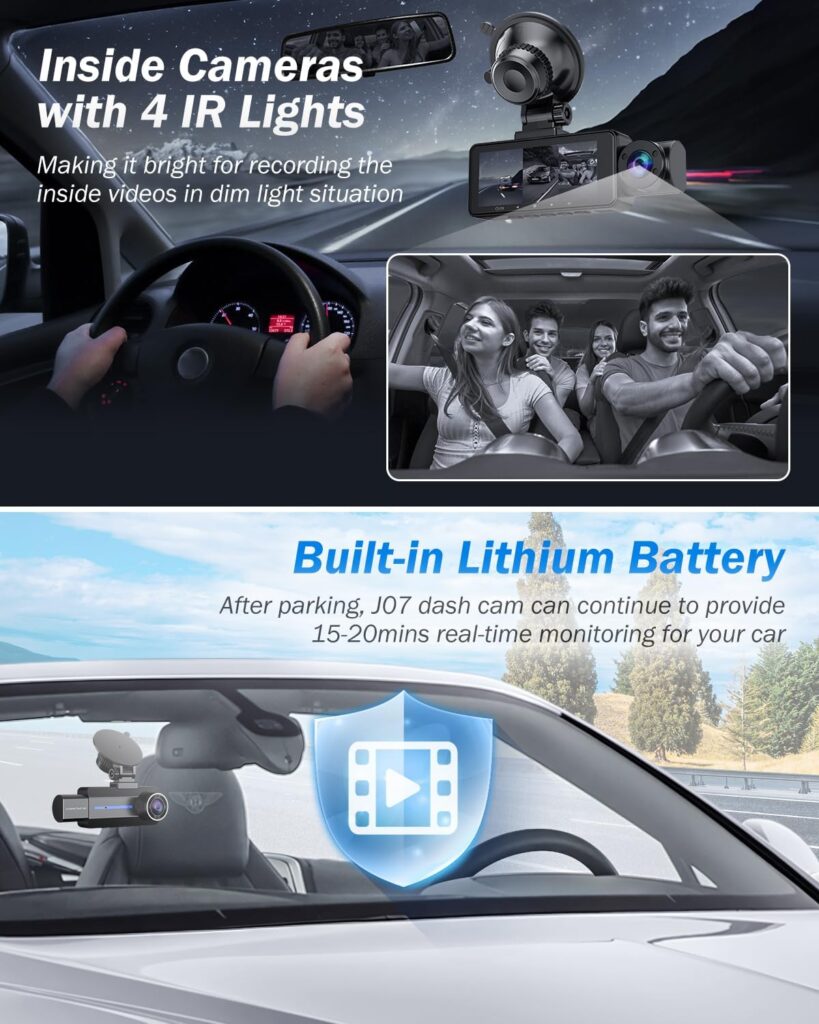
If you need an interior-facing feed for rideshare driving or family monitoring, the cabin camera’s 150° field of view plus four IR lights does a good job of capturing faces and passenger activity at night. The IR lights are invisible to occupants, so you won’t get distracted by visible illumination, and footage remains usable even in low to no light.
Low-light and night-time performance
You can expect better-than-average night clarity thanks to the combination of the 6-glass lens, a relatively large aperture, and sensor optimization. That said, as with most dash cams, extremely low-light scenes at high speed will show motion blur and noise; stationary or slow-moving nighttime incidents are usually captured sufficiently for evidence.

Recording modes and safety features
You don’t have to micromanage recording—this system handles loop recording and automatically locks files when the built-in G-sensor detects a collision. That auto-lock feature prevents important clips from being overwritten, and the continual looping reduces the need to manually erase old files.
Loop recording and file management
Loop recording is standard and configurable on many dash cams; this one overwrites the oldest files once the SD card is full unless they’ve been locked by the G-sensor. You’ll find this behavior convenient because you won’t need to clear space, but you should still archive or copy important clips to another drive when you want to retain them.
G-sensor incident locking
When the G-sensor detects sudden impacts or sharp shocks, it locks the current recording so it won’t be overwritten by loop recording. You should be aware that repeated or sensitive calibrations might lock many files, so it’s helpful to adjust sensitivity if you get too many false locks in rough driving conditions.
Parking mode and time-lapse recording
24-hour parking protection is supported but requires an ACC hardwire kit to enable continuous monitoring without draining the vehicle battery. The dash cam uses time-lapse (low-frame-rate) recording during parking mode to conserve power while still capturing motion or impacts; when the G-sensor triggers, the device switches to normal recording and locks the event file.
Battery and power behavior
The built-in 230 mAh battery is intended as a short backup to allow file saving and brief recordings (about 15–20 minutes) after the vehicle power is removed. You shouldn’t rely on the internal battery for extended parking surveillance; instead, use a hardwire kit or external power bank made for continuous dash cam power.
Memory card compatibility and preinstalled 32GB card
You’ll get a 32GB microSD card included, which is convenient for getting started; the unit supports cards up to 128GB if you want longer recording retention. Use a high-endurance card rated for dash cam or continuous recording to minimize file corruption and ensure long life.
Installation and daily operation
You’ll find the installation straightforward for a DIY enthusiast, and the company includes wiring tools and illustrated instructions to help you tuck cables and mount each camera. If you want professional-grade hardwiring for parking mode, you’ll likely visit an auto electrician or use a vehicle-specific hardwire kit.
Mounting the front camera
Mount the front unit centrally behind the rearview mirror so the 170° view isn’t obstructed and so the inside camera still captures the cabin without weird angles. Clean the windshield where the adhesive or mount will attach, and allow the adhesive to set for a few hours for reliable long-term placement.
Routing the rear camera cable
You’ll need to route the rear camera’s 20 ft cable along the headliner, down the pillars, under trim, and into the trunk or tail area depending on vehicle layout. If you’re not comfortable removing trim panels, consider professional installation—improper routing can lead to pinched wires or rattles.
Inside camera placement
The cabin camera can mount on the windshield or near the headliner, depending on the mounting accessories included and your vehicle’s interior layout. Position it to avoid glare from interior lights and to keep occupants’ faces centered in the field of view while not blocking the driver’s forward sightline.
Power connections and parking mode wiring
If you only want recording while driving, the included car charger or cigarette-lighter adapter is fine; for 24-hour parking mode you’ll need the ACC hardwire kit connected to a switched ignition source and ideally to a low-voltage cutoff or battery protection device. Installing the hardwire kit correctly ensures the dash cam won’t run the car battery flat.
Usability, UI, and file access
You’ll appreciate that the 3.16” IPS screen lets you preview footage quickly and that menus are generally user-friendly for basic settings adjustments. Note that this model is “Non-App Sync,” so you won’t get a mobile app for real-time viewing or Wi-Fi transfer; you’ll access files by removing the microSD card or connecting the camera to a PC.
On-device controls and menu layout
The front unit’s buttons and menu system are designed for quick changes—switching resolution, toggling parking modes, or formatting the card. If you prefer to set the camera and forget it, the default settings are reasonable, but you should check date/time, region settings, and G-sensor sensitivity after installation.
File transfer and playback
To view footage on your phone or computer, remove the microSD card and use an adapter, or plug the camera into a computer via its USB cable. Because there isn’t wireless app functionality, file transfers are slightly more manual, but this also removes the need to manage an app or pair devices.
Real-world scenarios where this unit shines
You’ll get particularly good value if you need multi-angle coverage—drivers who carry passengers, rideshare operators, or families who want the reassurance of interior recording will benefit from the cabin camera. The waterproof rear camera and long cable also suit vehicles with extended lengths where a shorter rear cable would be problematic.
Rideshare and taxi use
If you drive for Uber, Lyft, or taxi services, the interior IR lights help ensure creditable evidence of driver or passenger interaction even in the dark. The triple-channel setup means you capture a holistic view—front incidents, passenger behavior, and rear traffic—without needing multiple independent devices.
Family and commuter safety
You’ll find the inside camera helpful for monitoring child seats, pets, or other onboard activities, and the front camera covers incidents and road hazards as you commute or travel. Because the system records continuously (looping), you won’t have to think about hitting record during a stressful moment.
Fleet and commercial applications
For small fleets, delivery drivers, or commercial vehicles that want more complete coverage, the three-camera setup reduces blind spots and provides consistent documentation in incident disputes. Consider centralized storage policies or regular file archiving if multiple drivers use the same unit to prevent accidental overwriting of critical footage.
Pros and cons
You’ll benefit from a balance of high resolution, multi-angle coverage, and night-time cabin monitoring, all at a competitive price for a three-channel system. On the flip side, the lack of mobile app connectivity and reliance on manual file transfer may feel outdated compared with some Wi-Fi enabled competitors.
Pros:
- True 2.5K front resolution for improved plate/sign legibility.
- Three-channel coverage (front, inside, rear) provides comprehensive evidence.
- IR cabin lighting captures interior activity in darkness.
- Waterproof rear camera with long cable fits many vehicle types.
- Loop recording with G-sensor locks important clips automatically.
- Includes a 32GB card and installation accessories for fast setup.
Cons:
- No app support or Wi-Fi for wireless file transfer and viewing.
- Built-in battery is small—insufficient for extended parking without hardwiring.
- Some users may prefer a larger screen or more intuitive touchscreen UI.
- Long cable routing may be challenging for some DIYers and require trimming or professional help.
Setup tips and best practices
You’ll have a smoother experience if you perform a few setup steps carefully: set accurate time and date, format the microSD card in-camera, and test the G-sensor sensitivity. Also, periodically back up important clips to a computer or cloud storage before they get overwritten by loop recording.
- Format the SD card inside the camera before first use to ensure proper file structure.
- Set your region/time and GPS (if supported elsewhere) so timestamps match evidence needs.
- Drive in various lighting conditions to confirm inside and front exposures are correct; adjust exposure/brightness if your camera offers those settings.
- Use a high-endurance microSD card labeled for surveillance/dash cams to reduce wear and file issues.
Troubleshooting common issues
If the camera shows a black screen or doesn’t boot, check the power connection and fuse in your vehicle’s accessory socket; a weak supply or poor contact is often the cause. If the rear camera feed is missing, confirm the extension cable is fully seated and not pinched by trim; use an external monitor or swap cameras if you suspect hardware failure.
- Random reboots: check the microSD card health and format it; try a different card to rule out card corruption.
- Overheating: ensure the camera isn’t mounted where sun magnification causes excess heat; some dashboards trap heat near the windshield.
- False G-sensor triggers: lower the sensor sensitivity in settings if you get too many locked files from potholes or rough roads.
Comparison to other dash cam setups
You’ll see a tradeoff compared with single-channel 4K front dash cams that may offer higher front resolution but lack interior/rear coverage. Compared with other triple-channel systems, this model stands out for front 2.5K quality and IR interior lighting, but it lacks wireless app features that competing models sometimes include.
- Single front 4K cams: better front detail, but no inside/rear coverage unless you add separate units.
- Dual-channel front/rear 1440p kits: similar rear coverage but often miss interior IR recording for night passenger capture.
- Triple-channel units with Wi-Fi: offer wireless convenience but may charge a premium and sometimes sacrifice image quality.
Customer support and warranty
You’ll get one year of maintenance and 24/7 technical support from the manufacturer, with communication typically handled via Amazon messages and responses promised within 24 hours. If you run into hardware defects within the warranty period, reach out to customer service for replacement or repair options; keep purchase records handy.
Who should buy this camera?
If you regularly transport passengers, run a rideshare service, or want comprehensive coverage of front and rear incidents plus interior monitoring, this system is a strong candidate. If you primarily need just the front view and wireless convenience, you might prefer a simpler or Wi-Fi-enabled alternative.
Final verdict and recommendation
You’ll find the Dash Cam Front and Rear, 2.5K+1440P Triple Car Camera with 32GB Card, 3 Channel Dash Camera for Cars, G-Sensor, 3.16” IPS Screen, 24Hr Parking, 170°Wide Angle, Loop Recording, IR Night Vision, Blue delivers good value for multi-angle coverage and night-time interior recording. For drivers who prioritize evidence collection from multiple viewpoints (rideshare, families, fleets), the combination of 2.5K front clarity, IR cabin lighting, and a waterproof rear camera makes it a capable and cost-effective choice—just plan on a card upgrade and a hardwire kit if you want full-time parking surveillance.
Frequently asked questions
Will the inside camera record in the dark?
Yes. The inside/cabin camera has four IR lights that illuminate passengers invisibly and help the camera capture usable footage in low or no light. That makes it particularly useful for rideshare drivers or those who need nighttime interior evidence.
Do I need to buy anything else to enable 24-hour parking mode?
Yes, you’ll need an ACC hardwire kit to supply switched 12V power and to safely run parking surveillance without draining your battery. You may also want a low-voltage cutoff module to protect your vehicle battery over long parking periods.
Can I connect to a phone via Wi-Fi or an app?
No. This model is Non-App Sync, so there is no Wi-Fi or mobile app for real-time viewing; you’ll access recordings by removing the microSD card or connecting the camera to a computer. That said, lack of wireless connectivity can be a plus if you prefer a simpler, app-free setup.
What size microSD card is best?
The dash cam supports up to 128GB microSD cards; using a high-endurance card specifically designed for dash cams or CCTV is recommended for longevity. The included 32GB card works fine for starters but you’ll get longer retention with 64GB or 128GB.
How does the G-sensor work and can I adjust it?
The built-in G-sensor detects sudden acceleration, braking, or impact and locks the current recording so it’s not overwritten. You can usually adjust the sensitivity in the settings to prevent false locks from rough roads or to make it more responsive to minor bumps.
Is the rear camera truly waterproof?
Yes, the rear camera is described as waterproof, which makes it suitable for mounting outside near the license plate or inside the trunk area for exposed installations. Waterproof ratings vary; avoid submerging it deliberately, but it will resist rain and road spray.
How long does the internal battery last?
The internal 230 mAh battery offers roughly 15–20 minutes of recording after vehicle power is removed, which is meant for safe shutdown or to save files—not for continuous monitoring. For extended parking surveillance, hardwiring is necessary.
What is the field of view for each camera?
The front camera is 170° for broad forward coverage, while the inside and rear cameras are about 150° each to capture wide interior and rear perspectives with minimal blind spots. This combination reduces the need for additional cameras to capture side or rear traffic.
If you want, I can give a step-by-step installation checklist, suggest a compatible hardwire kit and battery protector, or draft sample settings you might use for city driving versus highway driving.
Disclosure: As an Amazon Associate, I earn from qualifying purchases.