

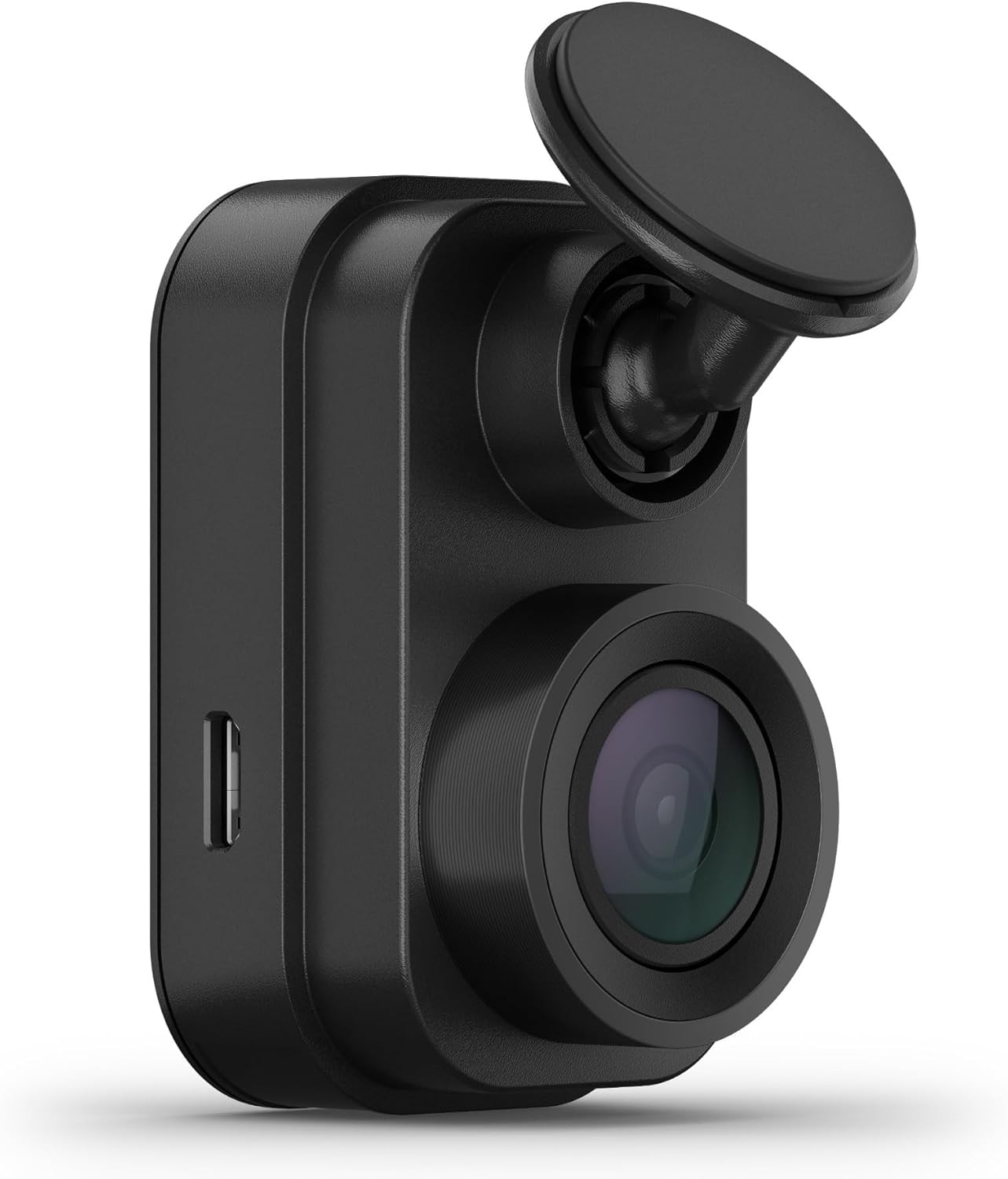
Want to keep a careful eye on your car without an obvious camera stuck to your windshield?
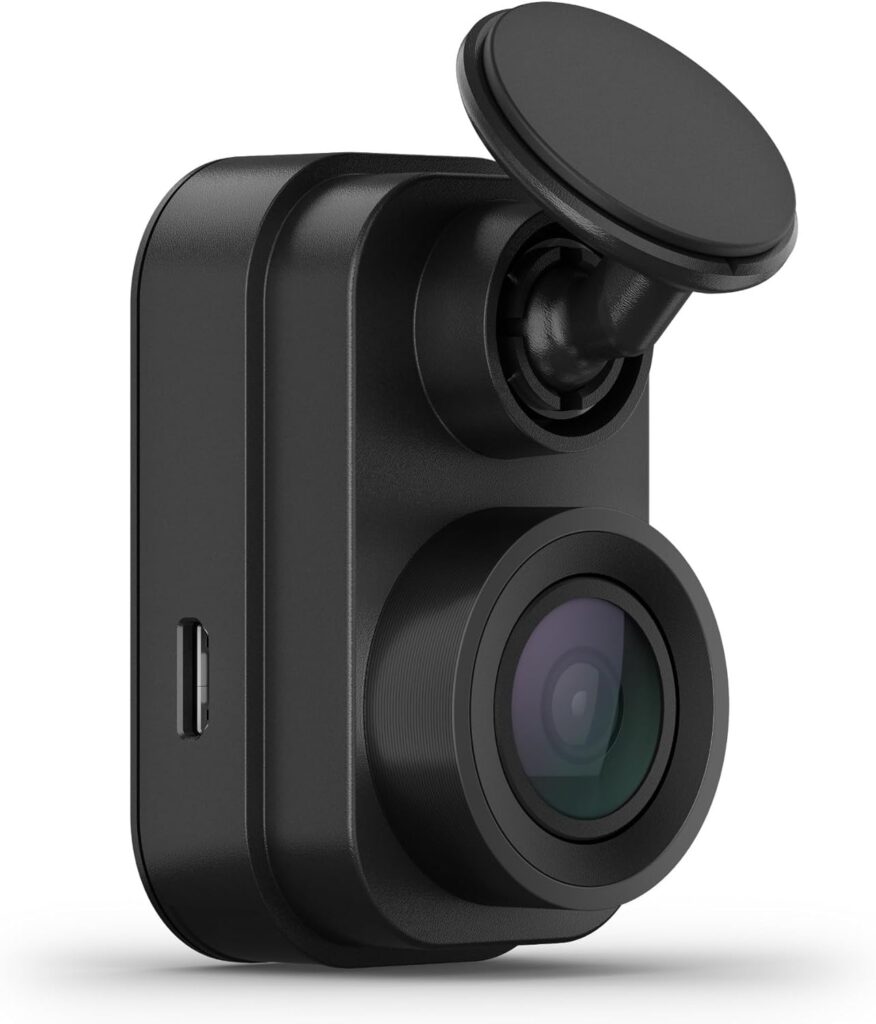

Overview of the Garmin Dash Cam Mini 2, Tiny Size, 1080p and 140-degree FOV, Monitor Your Vehicle While Away w/New Connected Features, Voice Control – 010-02504-00
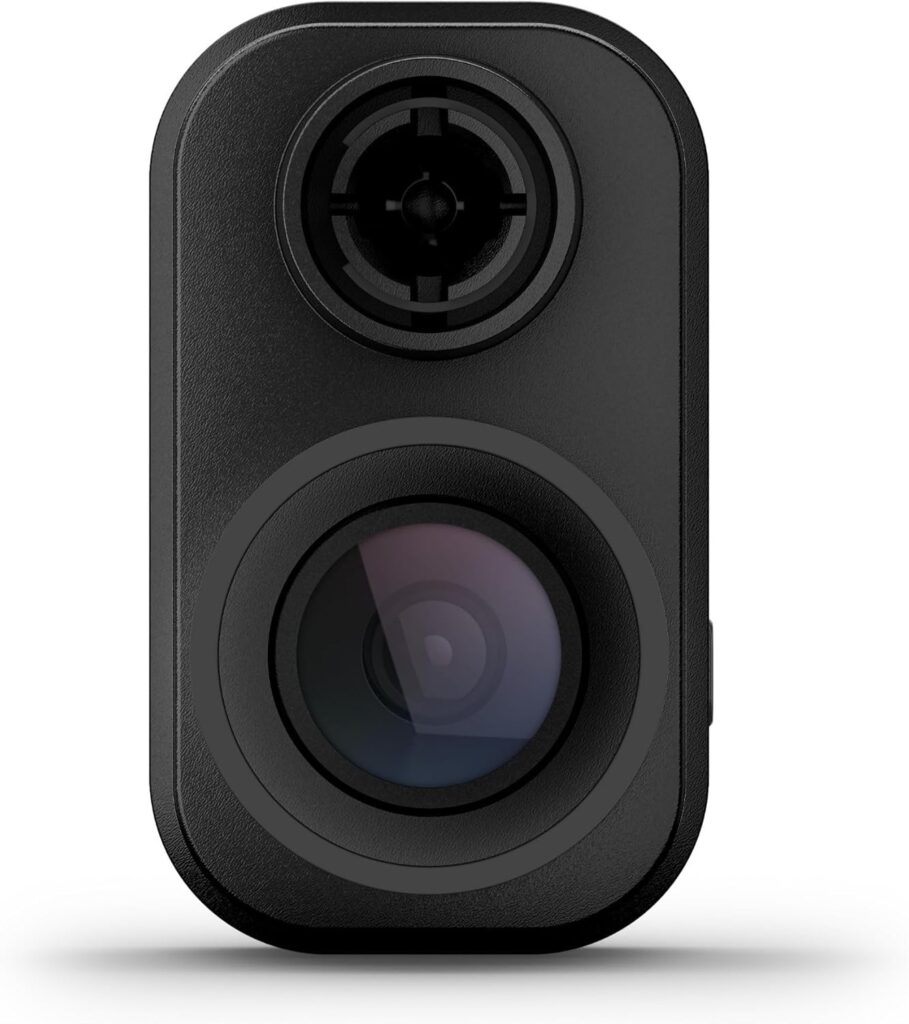
You’re looking at a car key-sized dash cam that hides out behind your rearview mirror and records automatically when incidents occur. It’s designed to be discreet while packing features like 1080p recording, a 140-degree field of view, Wi-Fi uploads to a secure Vault, and voice control in several languages.
What this dash cam promises for you
This camera promises unobtrusive installation and consistent incident recording so you can drive with extra peace of mind. It also offers remote monitoring options and parking surveillance when you keep it powered and connected to Wi-Fi through the Garmin Drive app.

Garmin Dash Cam Mini 2, Tiny Size, 1080p and 140-degree FOV, Monitor Your Vehicle While Away w/New Connected Features, Voice Control - 010-02504-00
Design and Build
The Mini 2 is intentionally tiny and light so it mounts behind the rearview mirror and stays out of sight. You’ll appreciate the low-profile look, especially if you don’t want a bulky gadget dangling from your windshield.
Size and placement
At car key-size, this unit is made to be discreet while still being functional and robust. Its small footprint reduces windshield obstruction and makes it less likely to draw attention from thieves or curious passersby.
Durability and operating conditions
Garmin builds this camera to resist harsh vehicle environments, including direct sunlight and high temperatures often found in parked cars. You’ll still want to avoid extremes beyond its rated tolerances, but the Mini 2 is tougher than it looks.
Installation and Setup
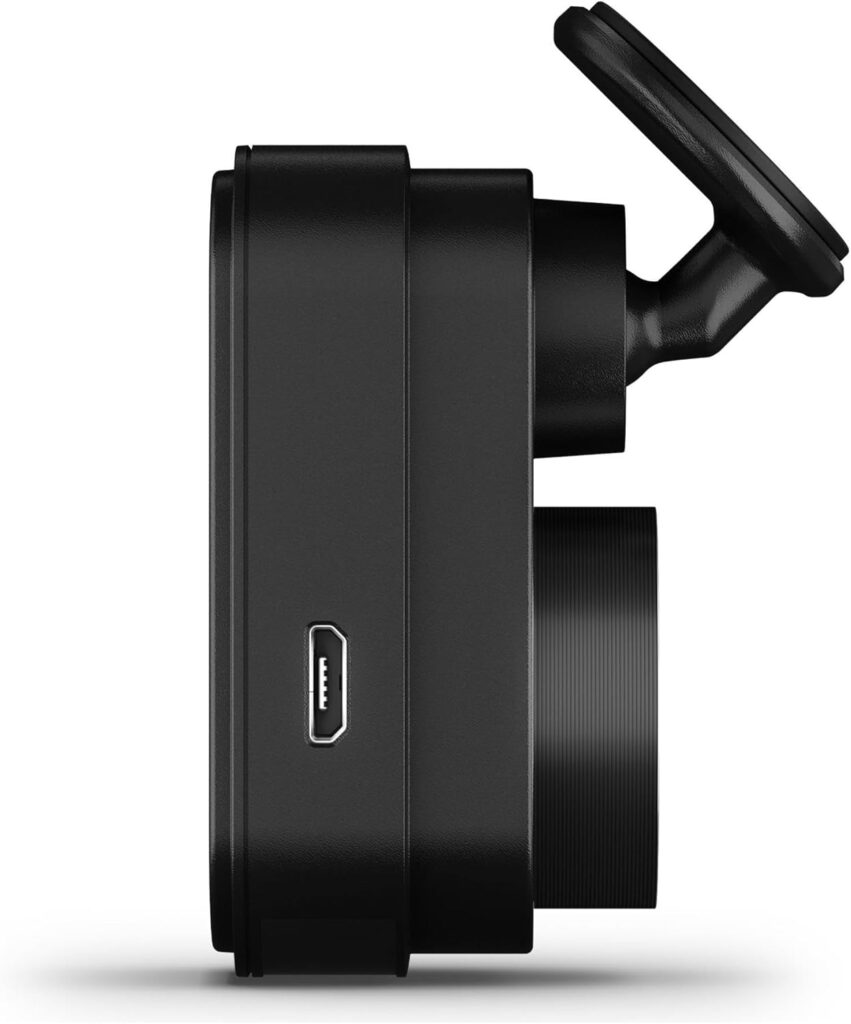
You’ll find installing the Mini 2 straightforward if you’re comfortable running a cable and mounting a small device. Garmin includes a dual USB charger and adhesive mount, and the camera’s discreet size simplifies placement behind the rearview mirror.
Mounting steps in brief
You stick the mount to the windshield in the desired spot behind the mirror, attach the camera, and route the power cable along the headliner and down the A-pillar. The process is similar to most dash cams, and if you want a very clean look you can have the cable tucked professionally.
Powering options and requirements
The camera requires constant power for features like Parking Guard and Live View, and Garmin supplies a dual USB charger that gives you an extra port for other devices. You’ll need a Class-10 microSD card (at least 8 GB, up to 512 GB supported) which is not included.

Video Quality and Recording
The Mini 2 records 1080p video at up to 30 frames per second using Garmin Clarity HDR optics to keep details readable in varying light. You’ll notice better contrast and detail day or night compared with lower-grade sensors, which helps when you’re trying to capture license plates or faces.
Daytime performance
During the day you can expect crisp detail, good exposure balance, and a wide enough view to catch incidents happening around your vehicle. Colors and fine elements like signage and plate characters remain legible in most typical daylight conditions.
Nighttime performance
At night, Garmin Clarity HDR helps maintain clarity and contrast so headlights don’t completely wash out the scene. You should still be realistic about very low-light situations where any small sensor can struggle, but the Mini 2 performs well for a camera of its size.
Field of View and Optics
The 140-degree diagonal field of view gives a wide perspective of the road and adjacent lanes without excessive fisheye distortion. You’ll get broad coverage that’s useful for capturing multi-vehicle incidents and nearby curb activity.
Why FOV matters to you
A wider FOV increases the chance of recording critical context—like a vehicle approaching from the side or a cyclist in your peripheral lane. At the same time, Garmin’s tuning reduces extreme distortion so footage remains useful for evidence.
Lens and HDR specifics
Garmin Clarity HDR optics manage dynamic range to keep bright and dark areas balanced in the frame. This approach helps maintain more readable details across varying light, which is particularly helpful in shadows and high-contrast scenes.
Voice Control and Hands-Free Features
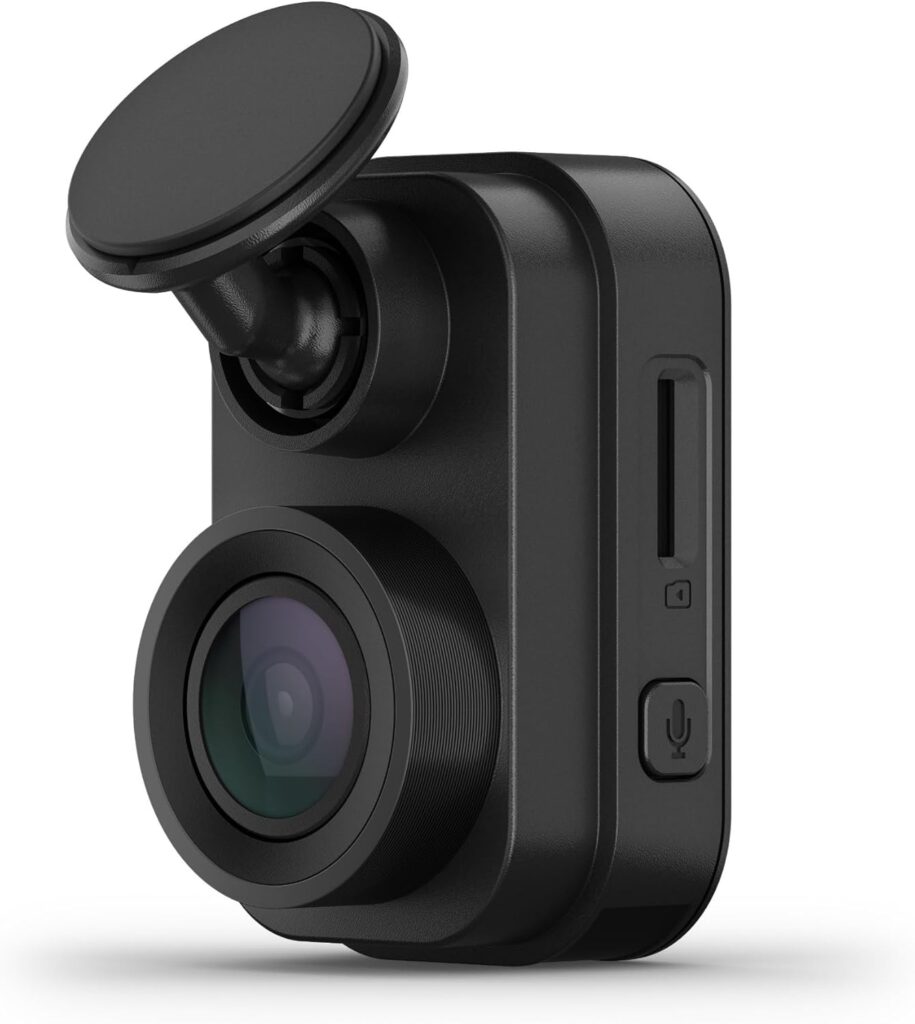
The Mini 2 supports voice control in English, German, French, Spanish, Italian, and Swedish so you can save footage, take stills, or toggle audio hands-free. You’ll find voice commands handy for when you want to secure a clip without stopping or fidgeting with buttons.
Commands and languages supported
The voice feature accepts spoken commands to save video, start or stop audio recording, take a still picture, and more; the languages available cover many drivers across several markets. If you primarily speak another language, you’ll need to rely on manual controls or the app.
Practical use cases for voice control
You can say a command after witnessing something noteworthy, and the camera will save the clip for later review—useful in near-miss or unexpected events. It also helps avoid distractions while driving since you won’t have to fumble with the camera.
Parking Guard and Remote Live View
When you supply constant power and keep an active Wi-Fi connection, Parking Guard can monitor activity around your parked vehicle and notify you if an incident is detected. You also get Live View access via the Garmin Drive app so you can see what’s happening around your car from afar.
How Parking Guard works for you
Parking Guard uses motion and impact triggers to start recording while the vehicle is parked, then alerts you through the Garmin Drive app if something occurs. You’ll need constant power (e.g., a hardwire kit or parking power source) and Wi-Fi connectivity for remote access and alerts.
Live View strengths and limitations
Live View gives you real-time access to the camera feed when the camera is powered and connected to Wi-Fi, which is great for checking on your vehicle or confirming a disturbance. Keep in mind it depends on network connectivity and power, so you’ll want a reliable setup for consistent remote monitoring.
Garmin Drive App and Connectivity
You’ll manage videos, control Live View, and receive notifications through the Garmin Drive app on your compatible smartphone. The app also uploads saved videos to Garmin’s secure Vault automatically via Wi-Fi, simplifying retrieval and sharing.
Uploads to the Vault and security
Once connected to Wi-Fi, saved videos automatically upload to Garmin’s secure Vault, giving you cloud-backed access to important clips. This reduces the risk of losing footage if the microSD card becomes damaged or stolen.
Multi-camera support
The Garmin Drive app supports video from up to four dash cams, letting you monitor broader coverage or multiple vehicles within a single app. You’ll get consolidated access to footage from several cams if you decide to expand your setup.
Storage, File Management, and Playback
The camera requires at least an 8 GB microSD card and supports up to 512 GB cards, with Class-10 or faster recommended for reliable recording. You’ll manage most tasks—reviewing, saving, and sharing—through the Garmin Drive app, or remove the card for local playback on your computer.
File structure and loop recording
The Mini 2 uses loop recording to continuously overwrite older footage unless clips are locked or saved, so you don’t run out of space during regular use. You’ll want to lock important incident files immediately or let the app upload them to the Vault to prevent overwriting.
Camera Auto Sync across multiple units
If you own up to four Garmin dash cams, Dash Cam Auto Sync allows cameras to synchronize event markers and recordings across devices. This makes reconstructing multi-angle incidents easier when you review incidents in the app or on the cloud.
Power Options and Accessories
The camera ships with a dual USB charger that gives you an extra USB port for devices, but you’ll likely want a constant power solution for Parking Guard and Live View. You may also consider Garmin’s hardwire kits or aftermarket power solutions if you plan on long-term parked surveillance.
Using constant power
Constant power is required for Parking Guard and Live View, which means you will either use a professional hardwire installation or a dedicated parking power battery. If you’re not comfortable with wiring, professional installation is recommended to avoid battery drain and ensure correct operation.
Included accessories and optional extras
Garmin provides a dual USB charger and mounting hardware, but not the microSD card or hardwire kit. You might want to buy a high-quality, high-capacity microSD card and consider an optional hardwire kit if you need continuous parking surveillance.
Performance in Different Environments
You’ll get consistent daytime clarity and competent nighttime performance for a camera of this size, though exact results depend on local conditions like lighting and weather. The durable design and HDR optics help with reliability whether you face bright sun, nighttime glare, or temperature extremes.
Urban driving and highway conditions
In congested urban settings you’ll capture lane changes, intersections, and nearby vehicle activity with the wide FOV, and on highways you’ll cover multiple lanes and fast-moving incidents. The 30 FPS frame rate is adequate for capturing details at typical speeds.
Weather and glare handling
Garmin Clarity HDR helps reduce the impact of glare and high contrast scenes, but like all cameras, heavy rain, fog, or direct sun flares can reduce visibility. You’ll get better results by maintaining a clean windshield and positioning the camera where it’s least likely to be blocked by glare.
Privacy and Legal Considerations
It’s your responsibility to follow applicable laws and privacy rights where you use the camera, as some jurisdictions regulate or prohibit dash cams. You should check local regulations about recording in public, audio recording, and the mounting of devices on windshields.
Audio recording and legalities
Audio recording may be governed by consent laws in your area, and voice control features may record snippets or commands that fall under local privacy rules. Make sure you understand whether one-party or two-party consent applies to audio recording where you live or travel.
Visibility and device placement rules
Some regions restrict objects that obscure the driver’s view through the windshield, so the Mini 2’s behind-the-mirror, low-profile design helps compliance but doesn’t guarantee it. You should always follow local mounting regulations and keep the camera positioned to minimize obstruction.
Pros and Cons
You’ll get a compact, discreet camera with good video quality, HDR optics, voice control, Parking Guard, and cloud uploads for saved clips. On the downside, you’ll need constant power and an active Wi-Fi connection for some features, and the device doesn’t include a microSD card or hardwiring kit.
Key advantages for you
The main advantages are the tiny size, unobtrusive mounting, solid 1080p recording, and seamless uploads to Garmin’s Vault for secure backups. If discretion and easy cloud access matter to you, this camera checks those boxes.
Limitations to consider
If you need 4K resolution, advanced night vision, or full-featured local playback without the app, the Mini 2 might feel limited compared with higher-end models. You’ll also rely on Wi-Fi and consistent power for the app-dependent remote features, which can be an extra installation consideration.
Comparison with Similar Dash Cams
When you compare the Mini 2 to competitor models, it stands out for its tiny size and Garmin’s ecosystem integration but may lag behind higher-end units in resolution or advanced sensors. It faces competition from brands like BlackVue and Thinkware that offer 4K options and more elaborate parking modes in some models.
How it stacks up on size and stealth
Few dash cams match the Mini 2’s stealthy, key-sized profile; that’s a significant selling point if you care about a low-visibility setup. Competitors may be bulkier to accommodate larger sensors and displays, but they often offer higher resolution.
Feature trade-offs versus higher-end models
Higher-end cameras may offer better low-light performance, 4K resolution, and built-in cellular for remote access without relying solely on Wi-Fi, at a higher cost and larger size. If you need simple, reliable recording with cloud backup and a discreet appearance, the Mini 2 is strong; if you need top-tier image fidelity or always-on remote access without Wi-Fi, consider a different class of device.
Practical Use Cases and Who Should Buy It
If you want a discreet dash cam to capture incidents, secure footage to the cloud, and optionally check on your car remotely, this unit fits well. It’s a solid choice for everyday drivers, rideshare operators who want low-profile gear, or anyone who dislikes bulky dash cams.
Ideal scenarios for the Mini 2
The Mini 2 works great for commuter drivers, city parkers, and drivers who want a low-visibility camera for aesthetic or theft-deterent reasons. You’ll also appreciate the automatic uploads and voice commands if you want simple, hands-free operation tied to Garmin’s app.
Situations where you might want something else
If you need extensive night coverage, multi-channel recording with internal hard drives, or a camera with built-in LTE/cellular for constant remote access, look at higher-tier models. Professional drivers who require maximum evidence detail may also prefer units with 4K or better low-light sensors.
Troubleshooting and Maintenance Tips
To keep the Mini 2 running reliably, check firmware updates via the Garmin Drive app, maintain a quality microSD card, and ensure the mounting adhesive is secure and the lens is clean. Regularly check the app for uploaded clips and confirm the Parking Guard and Live View functions are connected if you depend on them.
Common issues and fixes
If recordings stop or the camera is unresponsive, verify the power connection, try a different microSD card (Class-10 recommended), and update firmware. Connectivity issues often trace back to Wi-Fi password changes or weak network signals, so reconfigure the camera in the app or improve the home/parking Wi-Fi if needed.
Caring for the camera and lens
Wipe the lens gently with a microfiber cloth to avoid scratches, and avoid using harsh chemicals on the camera housing. Periodically inspect the adhesive mount and cable routing to prevent sagging or exposure to extreme heat that could degrade components.
Specification Breakdown (Table)
Below is a quick reference table to help you scan the main specs and features at a glance.
| Feature | Details |
|---|---|
| Model | Garmin Dash Cam Mini 2 (010-02504-00) |
| Size | Car key-sized, low-profile |
| Video Resolution | 1080p (up to 30 FPS) |
| Field of View | 140 degrees (diagonal) |
| Optics | Garmin Clarity HDR |
| Voice Control | Yes (English, German, French, Spanish, Italian, Swedish) |
| Parking Guard | Yes (requires constant power and Wi-Fi) |
| Live View | Yes (requires constant power and Wi-Fi) |
| Cloud Upload | Automatic to Garmin Vault via Wi-Fi |
| microSD Card | Required (8 GB minimum, supports up to 512 GB, Class-10 or faster) |
| Dash Cam Auto Sync | Yes (up to 4 cameras) |
| Mobile App | Garmin Drive app for review and settings |
| Extras | Dual USB charger included |
| Legal Notice | Some jurisdictions regulate use; user responsibility to comply |
User Experience and Real-World Feedback
You’ll likely appreciate the camera’s minimal visual impact while getting reliable recordings for incidents and uploads to Garmin’s Vault. Owners commonly praise the compact size, steady video quality for the price range, and the convenience of automatic uploads and app-based management.
Common praise from users
Many users highlight the camera’s discreet profile, straightforward app pairing, and the peace of mind from Parking Guard notifications. The dual USB charger included in the box is also frequently mentioned as a useful bonus.
Common criticisms from users
Criticisms usually focus on the dependence on Wi-Fi for certain features, the lack of an included microSD card, and limitations in 1080p compared to 4K competitors. Some users mention the need to hardwire the camera for Parking Guard as an additional installation expense.
Final Recommendations
If you want a discreet, competent dash cam with cloud backup, voice control, and remote features when powered and connected, the Garmin Dash Cam Mini 2 is a very sensible pick. You’ll get a balance of unobtrusiveness and useful features that suit most everyday drivers and people who prefer minimal in-car hardware.
Purchase checklist for you
Before buying, plan to get a high-quality Class-10 microSD card (8 GB minimum, preferably larger), and consider whether you’ll hardwire the unit for Parking Guard and Live View. Also verify local laws regarding dash cam usage and audio recording to remain compliant.
Who should buy it now
Choose the Mini 2 if you value stealthy placement, simple cloud backups, and voice-activated convenience without wanting a big dashboard presence. If you prioritize raw image resolution, advanced night vision, or cellular remote access, you might prefer higher-tier alternatives.
Frequently Asked Questions (Short Answers)
You’ll find answers here to common queries about the Mini 2 based on product specs and typical user concerns.
Does the Mini 2 include a microSD card?
No, it does not include a microSD card; you must provide at least an 8 GB Class-10 card, and the camera supports up to 512 GB. Using a high-endurance card is recommended for long-term recording durability.
Can you use it without Wi-Fi?
Yes, basic recording works without Wi-Fi, but features like automatic Vault uploads, Live View, and Parking Guard alerts require Wi-Fi and constant power. You can still retrieve recordings directly from the microSD card or via the app when on Wi-Fi.
Is voice control reliable?
Voice control works in supported languages and is convenient for saving video or taking snapshots hands-free; its reliability depends on ambient noise and language selection. If you’re in a noisy environment, manual locking via the app or physical controls may be more consistent.
Does it work with multiple cameras?
Yes, the Garmin Drive app supports up to four dash cams and Dash Cam Auto Sync for coordinated event capture. This is helpful if you want front and rear coverage or multiple angles around a vehicle.
Closing Thoughts
You’ll find the Garmin Dash Cam Mini 2 a compelling option if stealth, cloud backup, and hands-free control are high on your list. It’s a practical, user-friendly camera that adds an extra layer of security and convenience for everyday driving without drawing attention.
Notice: Some jurisdictions regulate or prohibit use of this device. It is your responsibility to know and comply with applicable laws and rights to privacy in jurisdictions where you plan to use this device.
Disclosure: As an Amazon Associate, I earn from qualifying purchases.