

Original price was: $42.99.$25.79Current price is: $25.79.
Memoking T02 mini printer review: pocket-sized, inkless thermal Bluetooth for instant stickers, photos, labels, study notes, journaling-ideal for school, home.!
Description
Memoking Mini Printer – T02 Sticker Printer Print Pod Portable Thermal Inkless Sticker Maker Bluetooth Pocket Mini Photo Printer Instant Print for School Office Home for Study Note, Journal, DIY, Gift
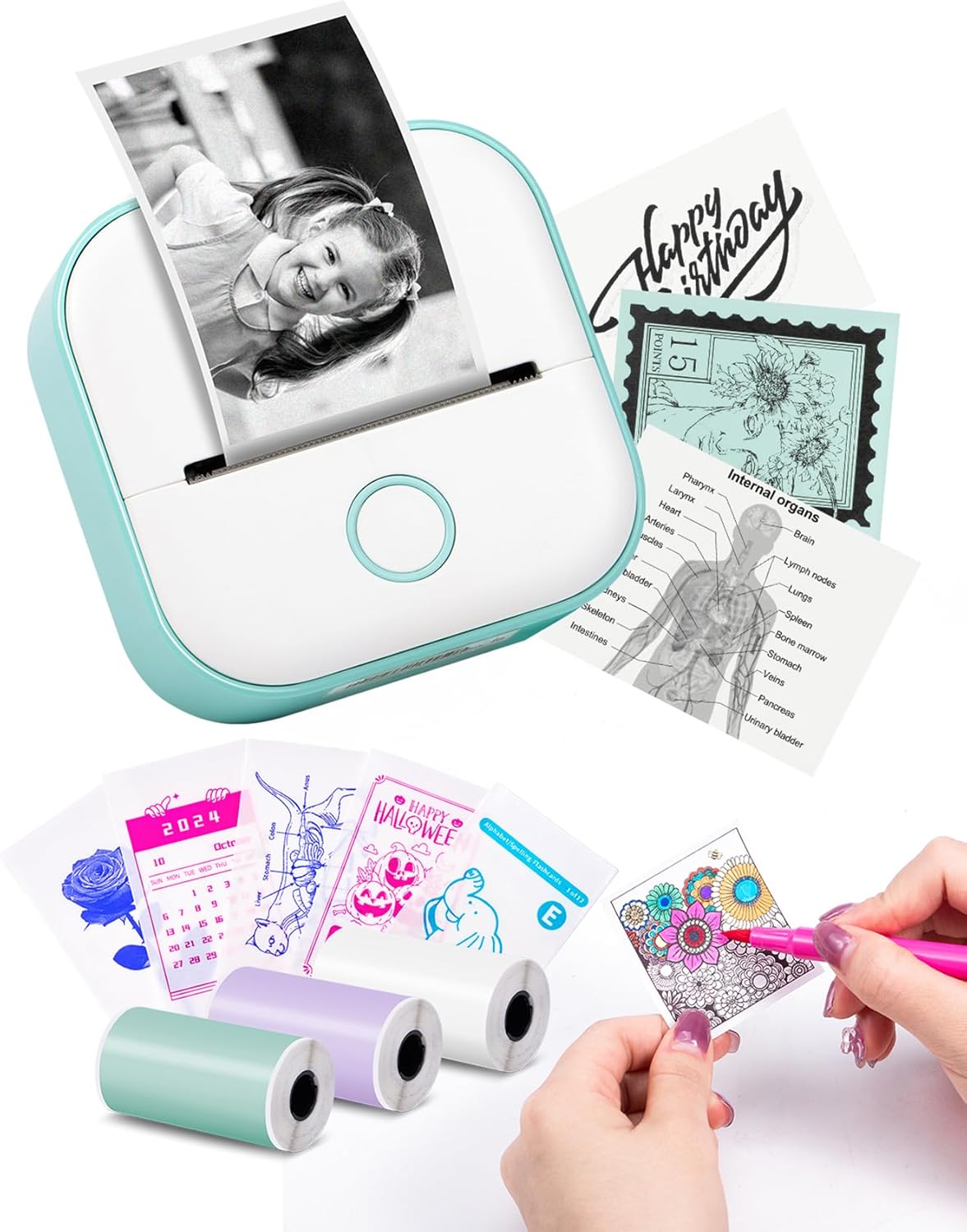
Make your notes, labels, photos, and crafts come to life with the Memoking T02 — a compact, inkless thermal sticker printer that fits in your pocket and works with your smartphone. Whether you want to print study flashcards, classroom diagrams, quick labels, or mini photos for your journal, this little machine gives you fast, simple, and creative printing without the fuss of ink cartridges.
Why the Memoking T02 is perfect for you
You get a lightweight, easy-to-carry tool that turns your phone content into physical stickers and photos instantly. It’s ideal for students of all levels, teachers, home organizers, small business owners, journalers, and craft lovers. The T02 helps you stay organized, study smarter, and personalize everything from planners to party favors.
Key benefits you’ll appreciate
- Instant printing without ink: Thermal printing technology makes prints sharp and durable without ink refills.
- Super portable: Palm-sized design lets you keep the printer in your bag or pocket and print on the go.
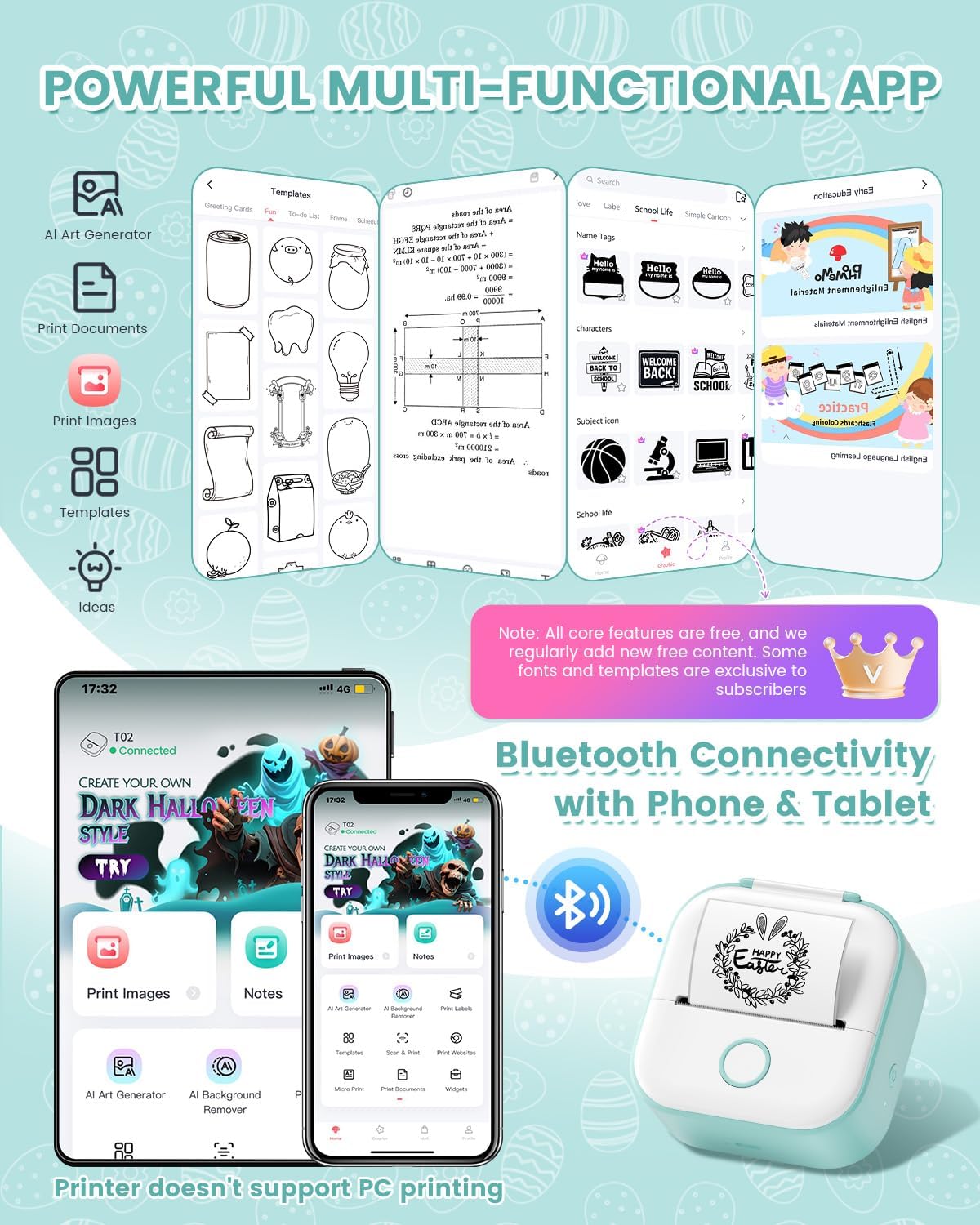
- Fast Bluetooth pairing: Connect through the Phomemo app in seconds and print directly from iOS or Android devices.
- Versatile media: Use white thermal paper, colored thermal paper, or clear transparent sticker paper for different projects.
- Creative control: Choose from multiple fonts, filters, and themes to make labels, study aids, and photos uniquely yours.
- Great for school and work: Print study notes, anatomy flashcards, math diagrams, receipts, business logos, and to-do lists.
What you can use it for
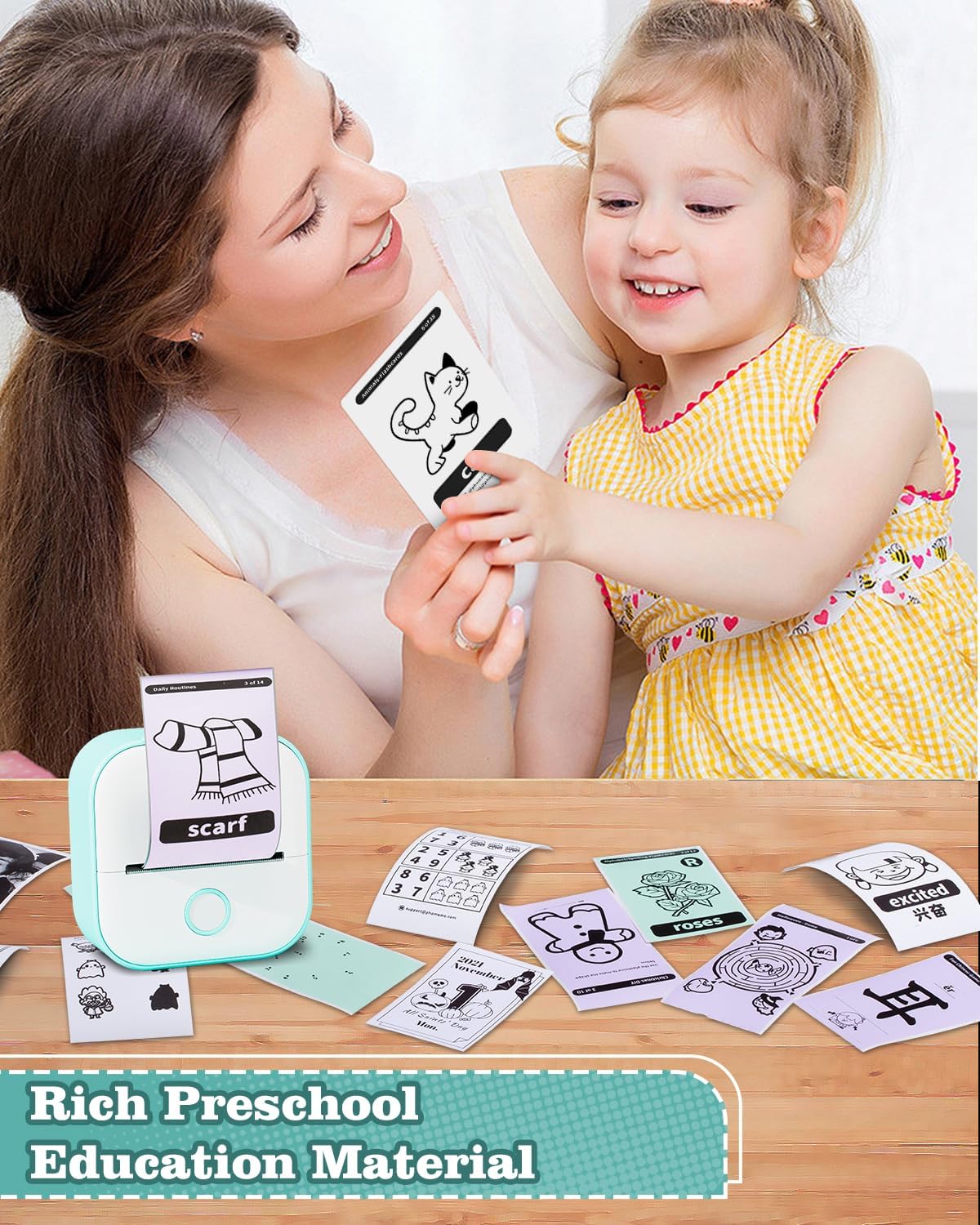
- Study notes and flashcards — print concise charts, diagrams, and labeled images for quick review.
- Teacher materials — create classroom labels, assignments, and diagram handouts in minutes.
- Journaling and scrapbooking — add instant photos, captions, and decorative stickers to your pages.
- Small business use — print receipts, tags, delivery labels, or promo stickers for customers.
- Home organization — label jars, boxes, cables, and planners with custom printed stickers.
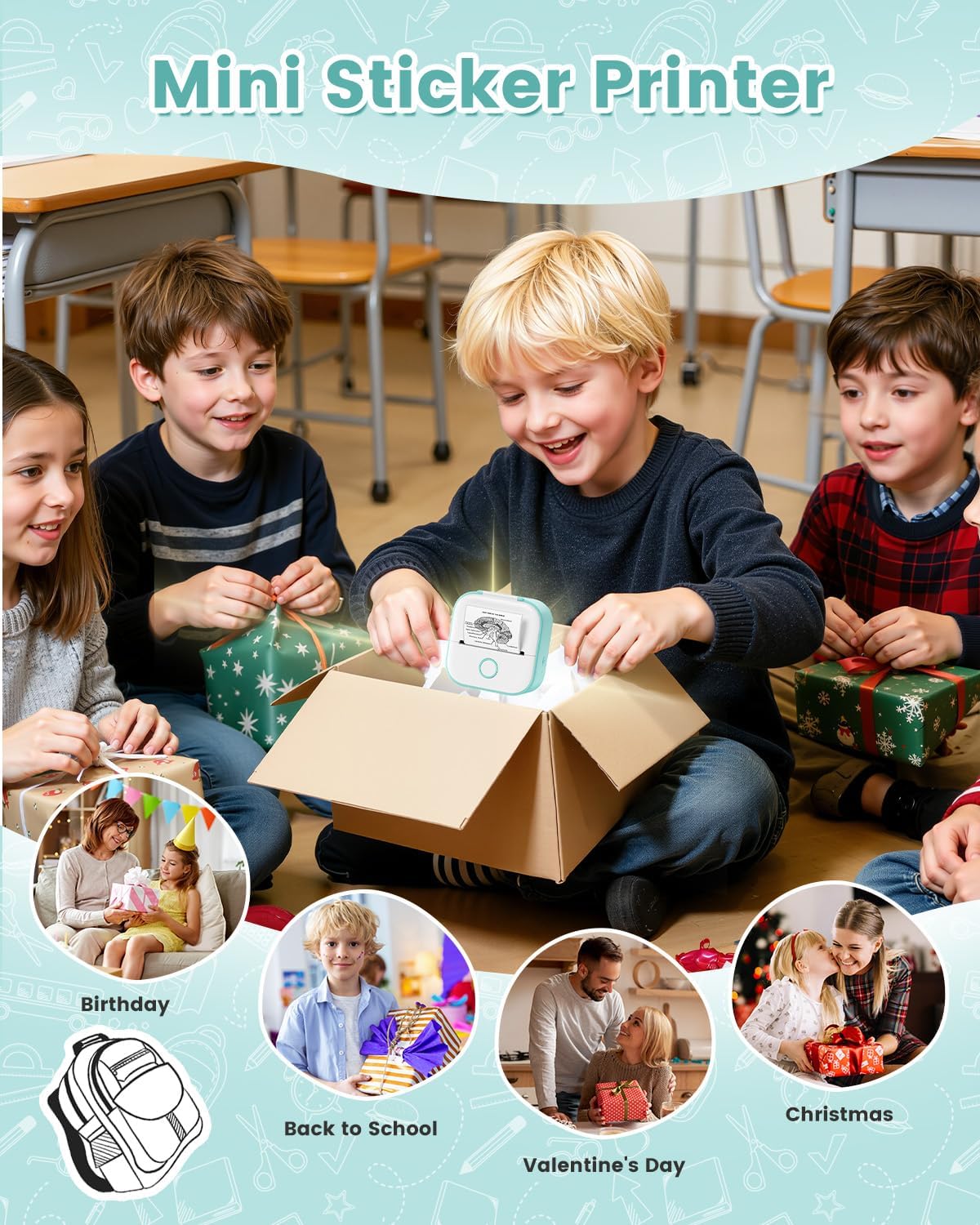
- Gifts and party favors — make personalized stickers or mini photos for birthdays and holidays.

Memoking Mini Printer - T02 Sticker Printer Print Pod Portable Thermal Inkless Sticker Maker Bluetooth Pocket Mini Photo Printer Instant Print for School Office Home for Study Note, Journal, DIY, Gift
$25.79 In Stock
Features and Functionality
Instant Bluetooth Printing
The Memoking T02 pairs with your phone using the Phomemo app. Bluetooth connects in about 2 seconds inside the app, so you can start printing almost immediately. The app works with both iOS and Android devices. Note: the T02 does not support printing from computers.
Thermal Inkless Technology
Thermal printing means there’s no need for ink, ink ribbons, or cartridges. Printpods thermal paper heats up in patterns to form crisp black or grayscale images and text. This keeps the device lightweight and maintenance low.
Multiple Paper Types Supported
You can use:
- White thermal sticker paper (sticky or non-sticky)
- Colored thermal sticker paper
- Clear transparent thermal sticker paper
This gives you the flexibility to create labels and photos with different looks and finishes.
Creative App Tools
The Phomemo app includes:
- Multiple fonts and text sizes
- Filter effects for photos
- Pre-made templates and icons
- Scanning function to convert images/graphics for printing (great for scanning textbook diagrams or handwritten notes)
- Easy cropping and layout tools
Compact, Durable Design
The T02 is designed to be pocket-sized and durable. It fits into backpacks, tote bags, and desk drawers without taking much space. You’ll appreciate how effortless it is to take the printer to class, a meeting, or a craft night.
How to use your Memoking T02 (simple steps)
- Charge the printer using the included cable until fully powered.
- Download and install the Phomemo app on your iOS or Android device.
- Load a roll of thermal paper into the printer chamber.
- Open the Phomemo app and pair via Bluetooth (one-click connection inside the app).
- Create or import an image/text in the app. Use templates, fonts, or the scan tool to prepare your content.
- Tap print. Cut the printout into any shape or size using scissors if you want custom label shapes.
Tips for best results
- Use the scan function in the app to capture textbook graphics and convert them into clean, printable images.
- Test print on scrap paper to optimize size and layout before printing multiple copies.
- Keep spare thermal paper rolls in your bag for uninterrupted printing.
- For sharper text, choose high-contrast black-and-white settings in the app.
What’s included
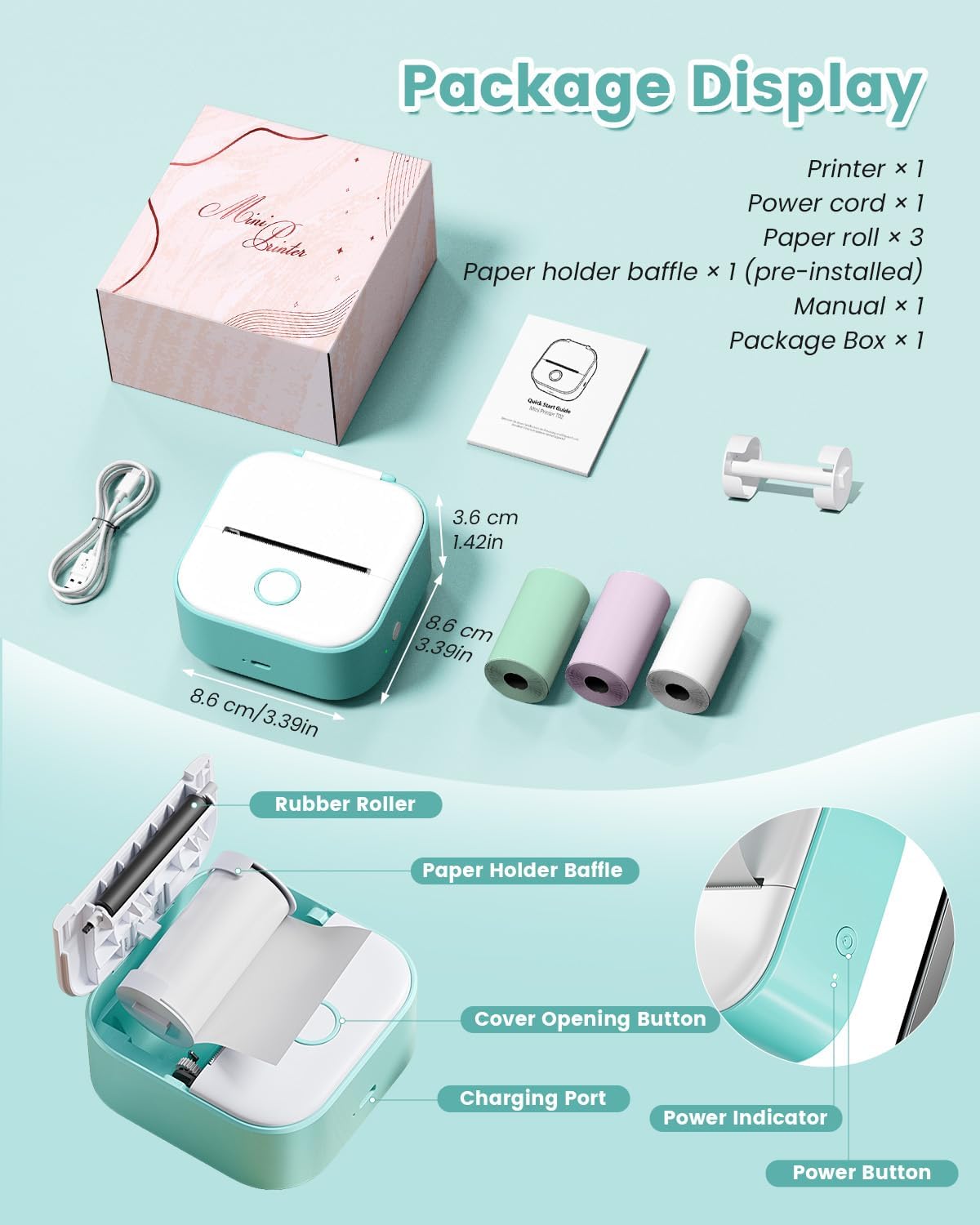
- Memoking T02 Mini Sticker Printer
- 3 rolls of thermal paper (white)
- USB charging cable
- Quick start guide
Product specifications
| Specification | Details |
|---|---|
| Model | Memoking T02 |
| Printing method | Thermal (inkless) |
| Media types | White thermal sticker paper (sticky/non-sticky), colored thermal, clear transparent thermal |
| Connectivity | Bluetooth (pairing through Phomemo app, iOS & Android) |
| Computer printing | Not supported |
| App | Phomemo (iOS, Android) |
| Included consumables | 3 rolls of thermal paper |
| Size | Pocket / palm-sized |
| Ideal use | Study notes, flashcards, labels, photos, journaling, small business tags |
| Power | Rechargeable (USB cable included) |
Who should get the Memoking T02
- Students at any level who need compact, instant study aids and flashcards.
- Teachers who want to produce quick labels, diagrams, and handouts without bulk printing equipment.
- Parents and crafters who create planners, scrapbooks, and personalized gifts.
- Small business owners needing lightweight label and receipt printing for pop-up stalls or deliveries.
- Anyone who enjoys customizing their space, journal, or planner with quick, adhesive prints.
Frequently asked questions (FAQs)
Q: Does the T02 require ink? A: No. The T02 uses thermal inkless printing, so you won’t need ink cartridges or ribbons.
Q: Is it compatible with my phone? A: The Phomemo app supports a wide range of iOS and Android devices. Check your device’s Bluetooth compatibility and app store listing if unsure.
Q: Can I print from my laptop? A: The T02 does not support computer printing. It’s designed for mobile printing through the Phomemo app.
Q: What paper can I use? A: Use white thermal sticker paper (sticky or non-sticky), colored thermal paper, and clear transparent sticker paper for varied results.
Q: How do I cut labels into shapes? A: After printing, use scissors to trim your printouts into any shape or size for custom labels and stickers.
Q: Does the printer come with paper? A: Yes, the package includes 3 rolls of thermal paper to get you started.
Care and maintenance
- Keep the printer dry and avoid exposing it to extreme temperatures.
- Clean the paper path occasionally with a soft, dry cloth to prevent dust buildup.
- Use only recommended thermal paper to prevent jams and maintain print quality.
- Charge regularly to keep the battery healthy if you use it frequently.
Reasons to choose this printer now
You’ll simplify study sessions, speed up labeling tasks, and add a personal touch to photographs and crafts with minimal setup. The Memoking T02 combines portability, creative control, and practical features in one affordable device that enhances daily organization and creativity.
If you want an easy-to-use, pocket-sized thermal sticker printer for school, home, or small business tasks — the Memoking Mini Printer T02 offers practical features and creative flexibility to help you print what matters, when it matters.
Memoking Mini Printer – T02 Sticker Printer Print Pod Portable Thermal Inkless Sticker Maker Bluetooth Pocket Mini Photo Printer Instant Print for School Office Home for Study Note, Journal, DIY, Gift
Bring a compact, creative printing solution into your bag, classroom, or workspace with the Memoking Mini Printer – T02. This pocket-sized thermal sticker printer delivers instant, inkless prints for study notes, diagrams, labels, journals, and small business needs. You get on-the-spot printing through a simple Bluetooth connection and the Phomemo app, so you can format, edit, and print labels and photos from your phone with speed and ease.
Why you’ll love the Memoking T02
- You can print study materials like flashcards and diagrams that make learning more efficient.
- You can create custom labels and stickers to organize school supplies, pantry items, office files, or craft projects.
- You can use the Scan function to capture and print study graphics clearly for anatomy, chemistry, math and more.
- You can personalize notes, journals, greeting tags, and gift stickers for celebrations and everyday planning.
- You can keep printing simple and mess-free: thermal inkless technology means no cartridges or messy inks.
Key features at a glance
- Thermal inkless printing — no ink required, mess-free prints.
- Bluetooth pairing through the Phomemo app — one-click connection within 2 seconds in the app.
- Compatible with iOS and Android mobile devices (not compatible with computer printing).
- Supports white thermal paper, colored stickers, and transparent sticker paper.
- Includes 3 rolls of thermal paper to get you started.
- Palm-size and pocket-friendly for on-the-go printing.
- Variety of fonts, filter effects, and themes available via the app.
- Ideal for students, teachers, home organization, small business labeling, journaling and DIY gifts.
Product specifications
| Specification | Detail |
|---|---|
| Product name | Memoking Mini Printer – T02 |
| Model | T02 |
| Printing technology | Thermal (inkless) printing |
| Connectivity | Bluetooth (Phomemo app) |
| App | Phomemo (iOS & Android) |
| Compatible devices | Smartphones and tablets (iOS and Android) |
| Computer printing | Not supported |
| Paper compatibility | White thermal paper, color sticker paper, clear transparent sticker paper |
| Included | 3 rolls of thermal paper |
| Size | Palm-size / pocket mini form factor |
| Special features | Scan-to-print for clear graphics, multiple fonts, filters, themes |
| Typical uses | Study notes, flashcards, labeling, journals, gift tags, receipts, small business labels |
What’s included in the box
- Memoking Mini Printer – T02 device
- 3 rolls of thermal paper (ready-to-print)
- Quick start guide and safety information
- (Accessory cables or chargers may be included depending on the retail package — check the product listing for exact bundle contents)
How to set up and print (simple steps)
- Download and open the Phomemo app on your iOS or Android device.
- Power on your T02 and enable Bluetooth on your phone.
- Open the app and use the one-click connection to pair — the app connects quickly (usually within a couple of seconds).
- Choose a template, font, filter, or theme in the app. You can also use the Scan function to capture images or diagrams to print.
- Select your paper type in settings if needed, format the layout, then tap Print.
- Cut the output to the shape and size you want with scissors to create custom labels or stickers.
Practical uses and scenarios
- For students: Print flashcards, summary notes, annotated diagrams, labels for binders, and quick study prompts. The Scan function helps convert visual materials from textbooks into printable study aids.
- For teachers: Produce small diagrams, math/chemistry labels, classroom labels, and printable handouts for review or classroom organization.
- For journaling and planners: Create custom stickers, headers, and decorative tags to personalize planners and scrapbooks.
- For small business owners: Print price tags, product labels, packing slips, or mini receipts quickly and on demand.
- For home: Label storage containers, kitchen jars, school supplies, and boxes to keep your space organized.
- For gifts and crafts: Make unique gift tags, name stickers, or party labels for celebrations and holidays.
Paper types and printing options
You can print on a range of thermal sticker materials:
- White thermal paper (sticky or non-sticky)
- Color sticker thermal paper
- Clear transparent sticker thermal paper
The Phomemo app offers a variety of fonts, filter effects, and themes so your output can be functional and stylish. Use filters for a retro look, bold fonts for labels, or decorative themes for gift tags and journaling.
Portability and design
The T02 is built to fit your lifestyle. It’s a pocket-friendly device you can slip into a backpack or tote for school, work, or travel. Because it uses thermal technology instead of ink, you avoid the extra weight and mess of cartridges. The compact form makes it easy to store on a desk, in a desk drawer, or in a classroom supply caddy.
Tips for best results
- Use the paper types recommended for thermal printing to maintain print clarity and device longevity.
- Keep the thermal printing head and paper path free of dust and residue — wipe gently with a soft, dry cloth if necessary after powering off.
- If you plan to print lots of photos or detailed graphics, use the Scan function to optimize contrast and clarity before printing.
- Test a small print when switching to a new type of sticker paper to adjust app settings for best contrast.
- Store extra rolls of thermal paper in a cool, dry place to prevent curling or degradation.
Frequently asked questions
Q: Can you print from a laptop or desktop? A: The T02 connects via Bluetooth and is supported through the Phomemo mobile app on iOS and Android. It does not support direct printing from computers.
Q: Does this require ink cartridges? A: No. The T02 is a thermal inkless printer — it uses heat to produce images on thermal paper, so no ink or toner is required.
Q: Can you print color photos? A: The T02 prints using thermal technology and supports color sticker paper as a compatible medium; results and color intensity will vary depending on paper type and app settings. For classic high-resolution color photo printing, a dedicated color inkjet printer would produce different results.
Q: Is the Phomemo app difficult to use? A: The app provides templates, fonts, filters, and a Scan function. Most users find pairing and printing straightforward after a quick setup. The one-click connection in the app usually pairs the device within seconds.
Care, support, and warranty
Treat your T02 gently: avoid exposing it to extreme temperatures or moisture, and store it with paper rolls removed if not used for long periods. For support, consult the user guide and the Phomemo app help center. Check the product listing or retailer for warranty information and customer service contacts.
Make your everyday tasks more creative and efficient
Whether you are organizing study materials, labeling products for a small business, personalizing journals, or crafting gift tags, the Memoking Mini Printer – T02 Sticker Printer gives you a friendly, portable printing solution. You’ll be able to produce practical and decorative prints whenever and wherever you need them, with minimal setup and no ink mess.
Ready to add a creative, pocket-sized printer to your toolkit? Pick the T02 to simplify note-making, labeling, and creative projects with instant, inkless prints right from your phone.
Disclosure: As an Amazon Associate, I earn from qualifying purchases.
Related products
-

EyeVac Home Touchless Vacuum Automatic Dustpan
Visit Official Website -
Sale!

Publications International Ltd. The Book of Unusual Knowledge Hardcover – Lay Flat
Original price was: $16.98.$9.99Current price is: $9.99. Visit Official Website -
Sale!
Dr.Kbder Fidget Spinner Toys Cube Adults
Original price was: $11.99.$9.99Current price is: $9.99. Visit Official Website -

Carhartt Men’s Suede Work Glove with Knit Cuff
Visit Official Website